Ask the owner of a small company how much time goes into invoices each week and the usual answer is "not much". Then it turns out the bookkeeper spends half a day matching payments, a sales rep copies details from emails into the invoicing program, and two customers have been waiting three weeks for a credit note. None of these problems looks big on its own. Together they cost money, patience and sometimes fines.
Online invoicing fixes much of this, but only when it is set up properly. A cloud invoicing tool on its own is not automation. Automation starts when an invoice is created without anyone typing into it, reaches the customer without anyone pressing "send", and gets marked as paid when the money lands in the account.
This article covers how online invoicing works, what changed with the switch to the euro in Bulgaria, how to pick a system and how to connect it to your website, store and bank.
What online invoicing is and how it differs from a Word template
Online invoicing means issuing, sending and storing invoices through a web-based system you open in a browser or an app. Data lives in the cloud, numbering is handled automatically, and documents go out by email as PDF or in a structured electronic format.
The difference from a Word or Excel template comes down to three things:
- Numbering is protected. The system will not allow two documents with the same number or a gap in the sequence. With manual numbering, this is one of the most common issues a tax audit finds.
- Data is reused. Customers, items, prices and VAT rates are entered once. The next invoice for the same customer takes two clicks.
- You get history and reports. You can see unpaid invoices, late payers and monthly revenue without collecting files from three computers.
E-invoice versus scanned PDF
A common confusion: an invoice generated by software and sent as a PDF counts as an electronic invoice in legal terms, provided the recipient has agreed to receive documents this way. A scanned paper invoice sent by email is just a copy of a paper original.
Then there is the structured e-invoice, for example under the European standard EN 16931 (formats like UBL). It is a data file the recipient's accounting software can read automatically, with nobody retyping amounts. Structured invoices are already required in EU public procurement, and under the ViDA package e-invoicing for cross-border B2B transactions within the EU becomes mandatory by 2030. When you choose a system today, ask whether it can export in a structured format. You will need it.
Online invoicing after the euro changeover
Since 1 January 2026 Bulgaria has used the euro, and every invoicing business felt it. Good online invoicing systems handled the transition quietly: they changed the default currency, converted catalogue prices at the fixed rate and added dual display where the transition period required it.
Where invoices were made by hand, it was a different story. Old templates still showing "BGN", price lists rounded by different rules, customers receiving an invoice in one currency and a quote in another. If you still find mismatches like these, take it as a sign that it is time to automate. When prices live in one place, a change like a currency switch happens once, not in a hundred places.
What to check in your system now
- Every item and service is priced in euro, with no leftover lev values.
- Rounding is applied consistently, either per line or per document, never mixed.
- Invoice, pro forma and credit note templates are updated.
- Store and bank integrations pass amounts in the same currency.
What automated online invoicing looks like in practice
Take a real scenario: a small online cosmetics store with around 400 orders a month. Before automation, an order arrived by email, an employee opened the admin panel, copied customer details into the invoicing tool, issued the document, downloaded the PDF, attached it to a reply and noted in a spreadsheet that it was sent. About four minutes per order, or roughly 26 hours a month.
After automation:
- The customer pays by card or chooses cash on delivery.
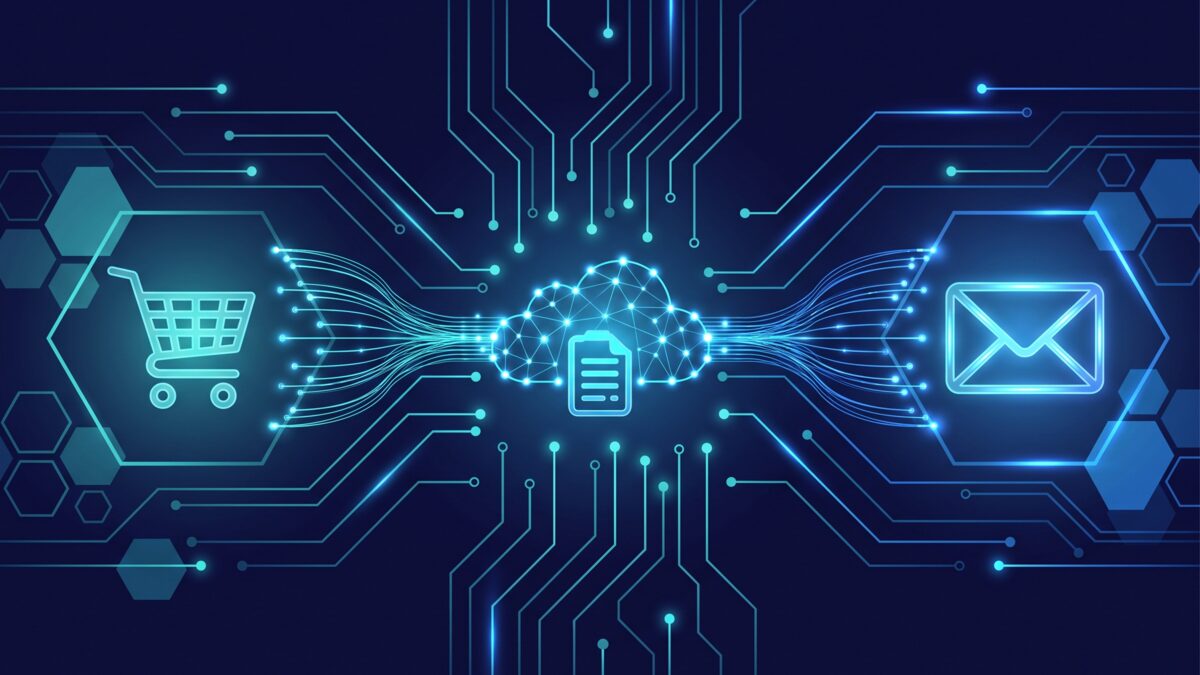
- On confirmed payment, the store sends the data to the invoicing system through its API.
- The system issues the invoice with the correct number, VAT and company details if a business invoice was requested.
- The PDF is emailed to the customer and attached to the order in the admin panel.
- For cash on delivery, the invoice is marked paid when the courier transfers the money.
People only step in for exceptions: complaints, partial returns, data corrections. Monthly time dropped from 26 hours to about 2.
Bank connection and automatic payment matching
The second big saving comes from the bank. Many invoicing systems can read bank statements, automatically or via file import, and match incoming payments to invoices by number, amount or company ID. When a customer pays with the reference "Invoice 1000452", the system marks it as paid without anyone comparing lines.
Where the bank has no direct integration, an automation platform such as n8n can fetch the statement, process it and update statuses. See our automation page for how these workflows are built.
Automatic payment reminders
The third piece is often overlooked, yet it has the fastest effect on cash flow. The system sends a polite reminder three days before the due date, another on the day and a third a week later. Tone can be adjusted per customer. Businesses that add reminders usually see shorter collection times within the first quarter.
How to choose an online invoicing system
The market offers local cloud tools, accounting programs with a cloud module and international platforms. Brands change every year, so here are the criteria that matter instead.
| Criterion | Why it matters | What to ask the vendor |
|---|---|---|
| VAT compliance | Mandatory fields and numbering must be correct | Is there automatic VAT number validation via VIES? |
| API and integrations | No API, no automation | Is there a documented REST API and ready connectors for WooCommerce, Shopify and others? |
| Bank integrations | Automatic payment status | Which banks connect directly, can statements be imported? |
| Structured e-invoices | Readiness for EU requirements | Does it support UBL or another EN 16931 format? |
| Multi-currency | Customers outside the eurozone | How are exchange differences handled? |
| User permissions | Control over who can issue or void | Are there roles and an audit log? |
| Accounting export | Your accountant should not retype data | In what format is data passed to the accounting software? |
| Archive and security | Documents are kept for years | Where is data hosted, are there backups? |
Cloud system or accounting module
If bookkeeping is done in-house with a specific program, the same vendor's invoicing module is often the easiest option, since data flows straight into the ledger. If bookkeeping is outsourced, a standalone cloud system with good export tends to be more flexible.
Avoid systems that do not let you export all your data in an open format, and avoid tools without an API if you run an online store or CRM. You will outgrow them fast.
Integrating online invoicing with your website and store
This is where projects either succeed or stall. The invoicing system is chosen, the store connection is left for "later", and later never comes.
WooCommerce and Shopify
Ready plugins exist for common invoicing systems and cover the standard case: order, payment, invoice, email. Trouble starts with edge cases like cart-level discounts, shipping with a different VAT rate, products at 9% and 20% VAT in the same order, or customers requesting an invoice after the order is complete. Test these with real data before going live.
For a custom-built store, the connection can go straight through the invoicing system's API, no plugin in between, which gives you full control. If you are still planning a store, put invoicing into the specification from day one. More on this in our online stores section.
Subscriptions and recurring services
For businesses selling subscriptions or monthly services, automation is even more valuable. Invoices are generated on schedule, sent and tracked. If a card is declined, a reminder flow starts, and a second failure can pause the service automatically.
The most common online invoicing mistakes
- Automating chaos. A messy catalogue with duplicated items just produces wrong invoices faster. Clean the data first.
- No handling of failures. What happens when the invoicing API is down for three minutes? Every integration needs retries and an alert on failure.
- Wrong issuing moment. In Bulgaria an invoice must be issued within 5 days of the taxable event. Issuing on order creation rather than payment or delivery leaves you with invoices for cancelled orders and a chain of credit notes.
- Unverified customer company data. Customers mistype VAT numbers often. VIES validation saves many corrections.
Cost and payback
Cloud invoicing plans vary by document volume, users and features. There are free plans for very low volume, and paid plans for small businesses typically fall somewhere around 10 to 50 euro per month. These are general market figures, not our pricing.
The larger item is integration. A plugin may be enough for a standard store, while a custom link with store, CRM and bank needs development scoped to your processes. At WEBPROGRESS pricing is individual, and we send a proposal within 24 hours once we understand your workflow.
Payback is simple to estimate: take the hours your team spends on invoicing, matching and reminders each month and multiply them by the real hourly cost. In the cosmetics store example, 24 saved hours a month covered the development within a few months.
Frequently asked questions
Is it legal to send invoices only by email?
Yes, as long as the recipient accepts electronic invoices. Consent can be explicit or implied, for example by paying invoices received by email. Signature and stamp are not mandatory invoice fields in Bulgaria.
Do I need a separate system if my store already issues invoices?
It depends. If the store generates PDFs with correct sequential numbering and fields, that may be enough. If you also sell by phone, in person or by contract, you will end up with two numbering sequences, and a central online invoicing system is the safer choice.
Can I automate invoicing without an online store?
Yes. Invoices can be triggered by a won deal in a CRM, a confirmed booking or a monthly contract schedule. Any source works as long as it has an API or export.
What happens to my invoices if I switch software?
They stay valid. Export the full archive before switching and continue numbering from the last number in the new system.
How long does implementation take?
A cloud system without integrations can be running in a day. A store connection via plugin takes a few days including testing. Full integration with store, CRM, bank and reminders is usually a two to four week project.
Start with the process, not the software
Online invoicing saves time only when it is built into how your business actually works. So the first step is not picking a tool but mapping how an order travels from inquiry to paid invoice today. Where does someone retype data? Where does something wait? Where do errors creep in?
If you want to stop losing hours on invoices, get in touch. We will review your process, suggest a suitable system and integration with your website, store and bank, and send you an individual proposal within 24 hours. Starting from scratch? See our web development services too.